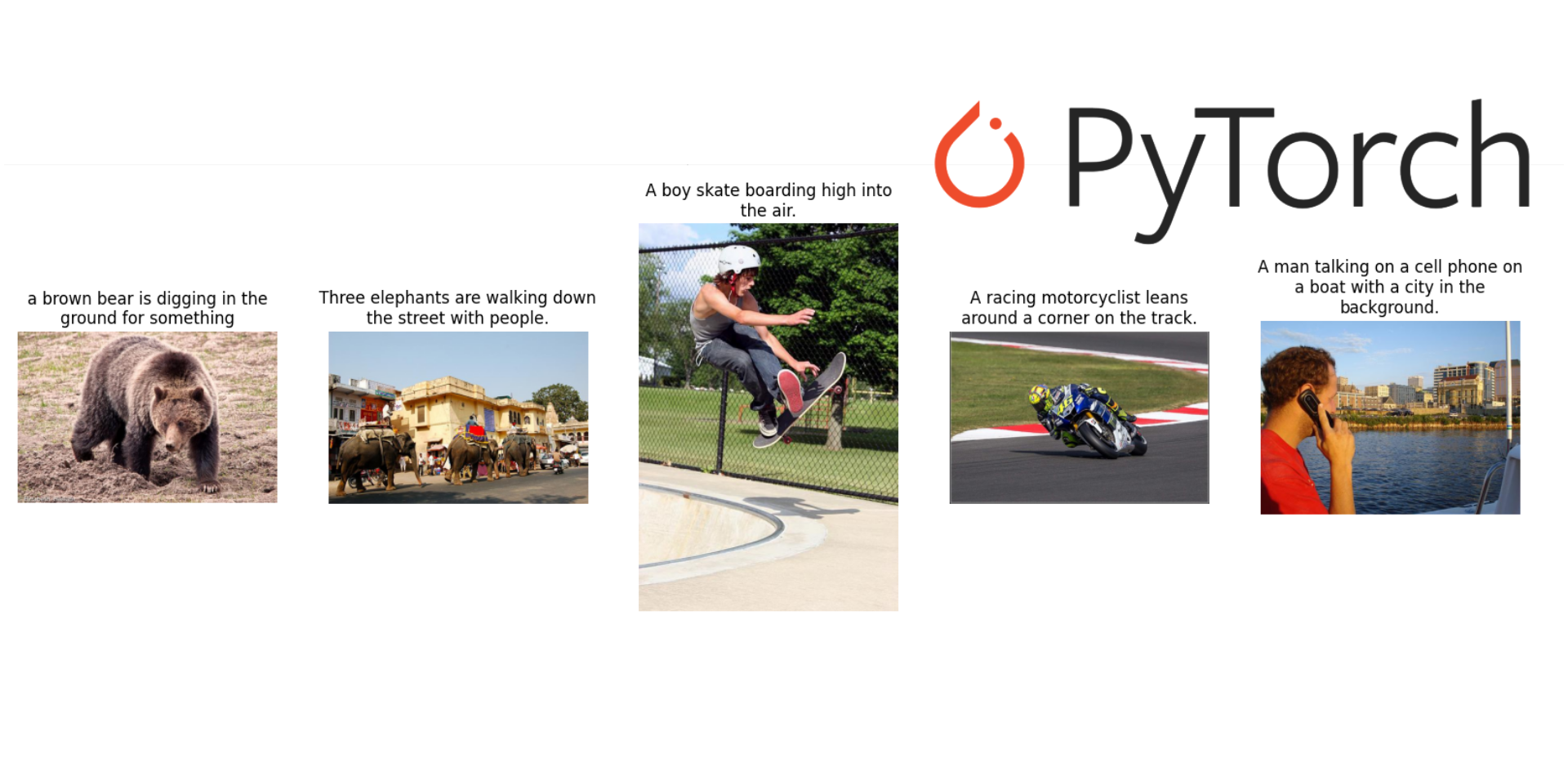
Train an Image captioning model 🧠 using Pytorch
Today, we are going to train deep learning model using Pytorch for image captioning. I will use the quite famous dataset called Common Objects in Context - COCO.
Setup
To start doing that, we need to first setup our workspace and download the data. Please execute the following statements in your bash or command line:
mkdir -p data/img
pip install wget
pip install torch
pip install torchvision
The first line allows us to have a directory where to save our JSON and JPG files. Next lines allow to install some python packages.
Download dataset
Download JSON files
To download our JSON files, you could write the following code inside a Python file and later execute it.
import wget
import zipfile

remote_url = 'http://images.cocodataset.org/annotations/annotations_trainval2014.zip'
local_file = 'data/annotations_trainval2014.zip'
wget.download(remote_url, local_file)

with zipfile.ZipFile(local_file, 'r') as zip:
    zip.extractall('data')
Before continue, we need to define some path variables
data_path = 'data'
imgs_path = "data/img"
If you execute the following code
captions_json = {f.replace('captions_','').replace('2014.json',''):f for f in os.listdir(data_path) if f.startswith('caption')}
print(captions_json)
You should see something like this 👇:
{'val': 'captions_val2014.json', 'train': 'captions_train2014.json'}Now, we could load our JSON files to see how is the structure:
import json

with open(os.path.join(data_path, captions_json['train']), 'r') as f:
    data_train = json.load(f)
The key images keeps information about the JPG files, and it looks like this:
print(data_train['images'][0]){'license': 5,
'file_name': 'COCO_train2014_000000057870.jpg',
'coco_url': 'http://images.cocodataset.org/train2014/COCO_train2014_000000057870.jpg',
'height': 480,
'width': 640,
'date_captured': '2013-11-14 16:28:13',
'flickr_url': 'http://farm4.staticflickr.com/3153/2970773875_164f0c0b83_z.jpg',
'id': 57870}The another important key annotations keeps information about the captions.
print(data_train['annotations'][0]){'image_id': 318556,
'id': 48,
'caption': 'A very clean and well decorated empty bathroom'}We have 82783 images for the train dataset, and each of them have between 5, 6 or 7 captions.
Previous to download images, we could create a dictionary of captions per images because I just knew images could have more than 5 captions.
annot_by_imageid = {}
if unique:
    for annot in data_train['annotations']:
        if annot_by_imageid.get(annot['image_id'], 0) == 0:
            annot_by_imageid[annot['image_id']] = annot['caption'].strip('\n')
Download images
You could download all images or just using some of them. To download the images you could use the following code:
import os
from tqdm.auto import tqdm
import wget

imgs_train = {
    'id':[],
    'filename':[],
    'captions': []
}
for img in tqdm(data_train['images']):
    try:
        remote_url = img['coco_url']
        local_file = os.path.join(imgs_path, img['file_name'])
        if not os.path.exists(local_file):
            wget.download(remote_url, local_file)
            imgs_train['filename'].append(img['file_name'])
            imgs_train['id'].append(img['id'])
            imgs['captions'].append(annot_by_imageid[int(img['id'])])
    except:
        pass
After last step, you can create a dataframe from imgs_train variable.
import pandas as pd
df_train = pd.DataFrame(imgs_train)
Later, you could take a look at images using the following function:
Plot images
def plot_images(df, img_path, num_images=5):
    """
        df: dataframe of ids, image filanames, captions
        img_path: where images are located
        num_images, number of images to plot
    """
    df_tmp = df.sample(num_images).reset_index(drop=True)
    plt.figure(figsize=(20, 20))

    for idx, row in df_tmp.iterrows():

        ax = plt.subplot(1, num_images, idx + 1)

        row_image = Image.open(os.path.join(img_path, row['filename']))

        caption = row['captions']
        caption = "\n".join(wrap(caption, 32))

        plt.title(caption)
        plt.imshow(row_image)
        plt.axis("off")